How TalkLog works
From recording to professional documentation in four simple steps. No technical setup, no file conversion, no manual note-taking.
Upload
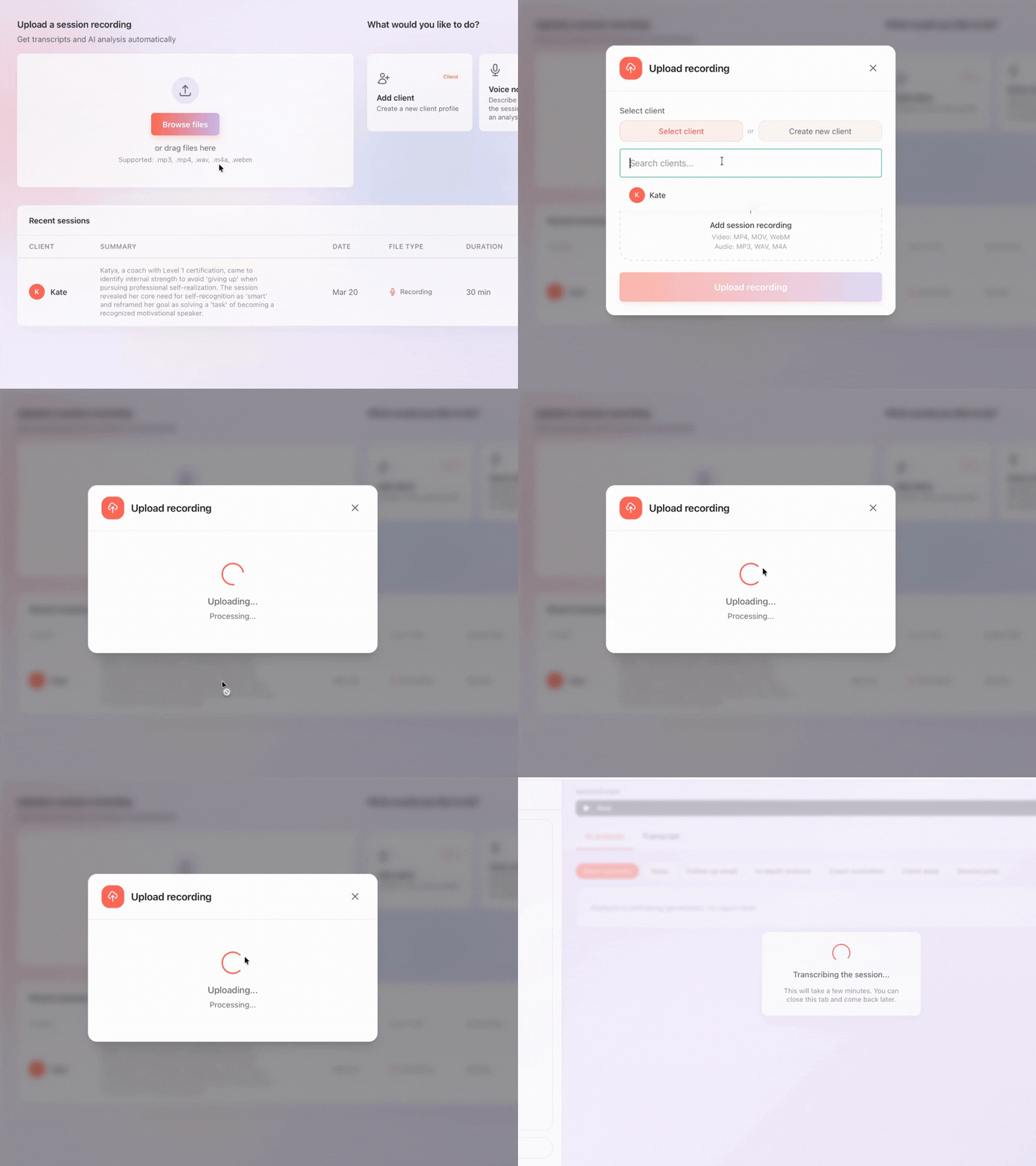
Upload your recording
Getting started takes seconds. Open your TalkLog dashboard, click the upload button, and drag your recording file into the drop zone. TalkLog accepts all common audio and video formats: MP3, MP4, WAV, M4A, WebM, and more. There is no need to convert files or install extra software — just use whatever your recording device produces. If you prefer, you can also record a voice note directly in the browser for quick post-session reflections or field notes between meetings. Files up to 500 MB are supported, covering even the longest sessions.
Transcribe
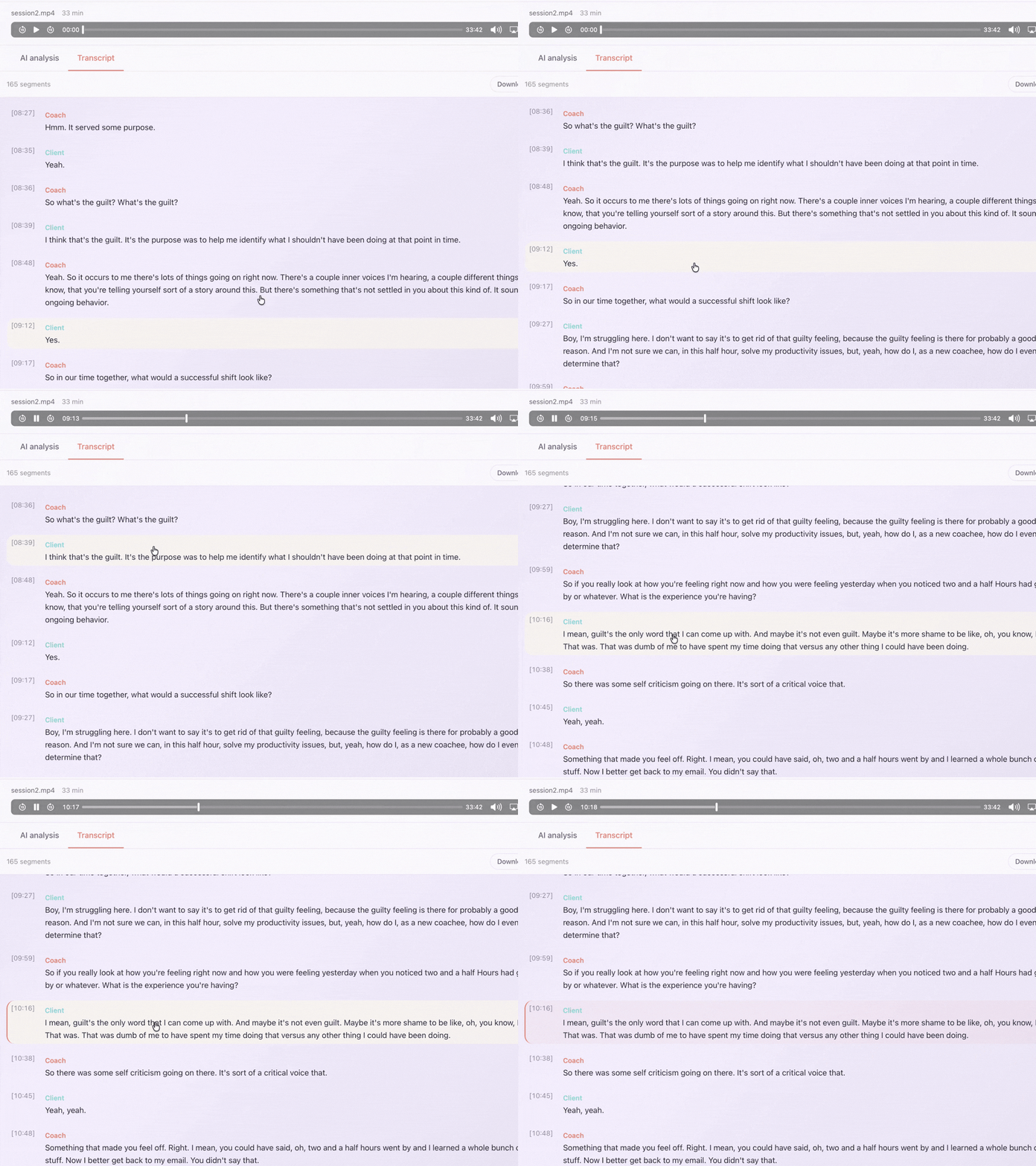
Get a speaker-labeled transcript
Once uploaded, TalkLog sends your recording through an advanced speech-to-text pipeline with speaker diarization. This means the transcript does not just show words — it shows who said them. Every line is labeled as Coach or Client (or by speaker number for group sessions), with precise timestamps so you can jump to any moment. The transcription engine handles diverse accents, multiple languages (English, Russian, Ukrainian), and real-world recording conditions. Most transcripts are ready in under five minutes, even for 90-minute sessions. You can review and edit the transcript if needed before proceeding.
Analyze
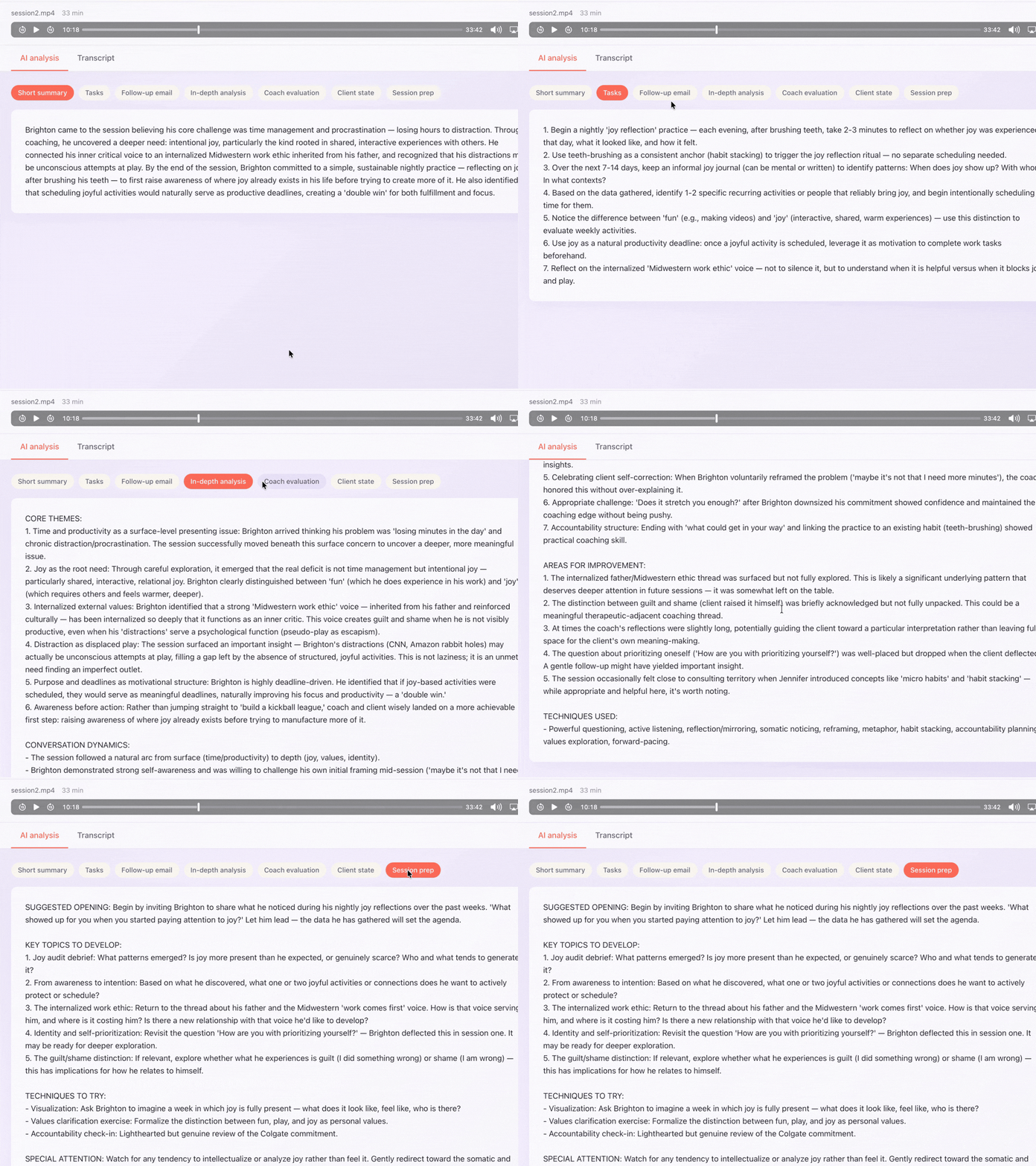
Review AI insights and themes
After transcription, TalkLog's AI engine analyzes the full conversation. It generates a concise session summary covering key themes, client goals discussed, emotional shifts, breakthroughs, and suggested next steps. The analysis identifies patterns that are easy to miss in the moment — recurring language, unfinished topics that deserve follow-up, and shifts in the client's perspective over time. The summary is fully editable, so you can add your own professional observations, correct any AI interpretations, and tailor the output to your documentation needs. Over multiple sessions, these summaries create a searchable archive of each client's coaching journey.
Export
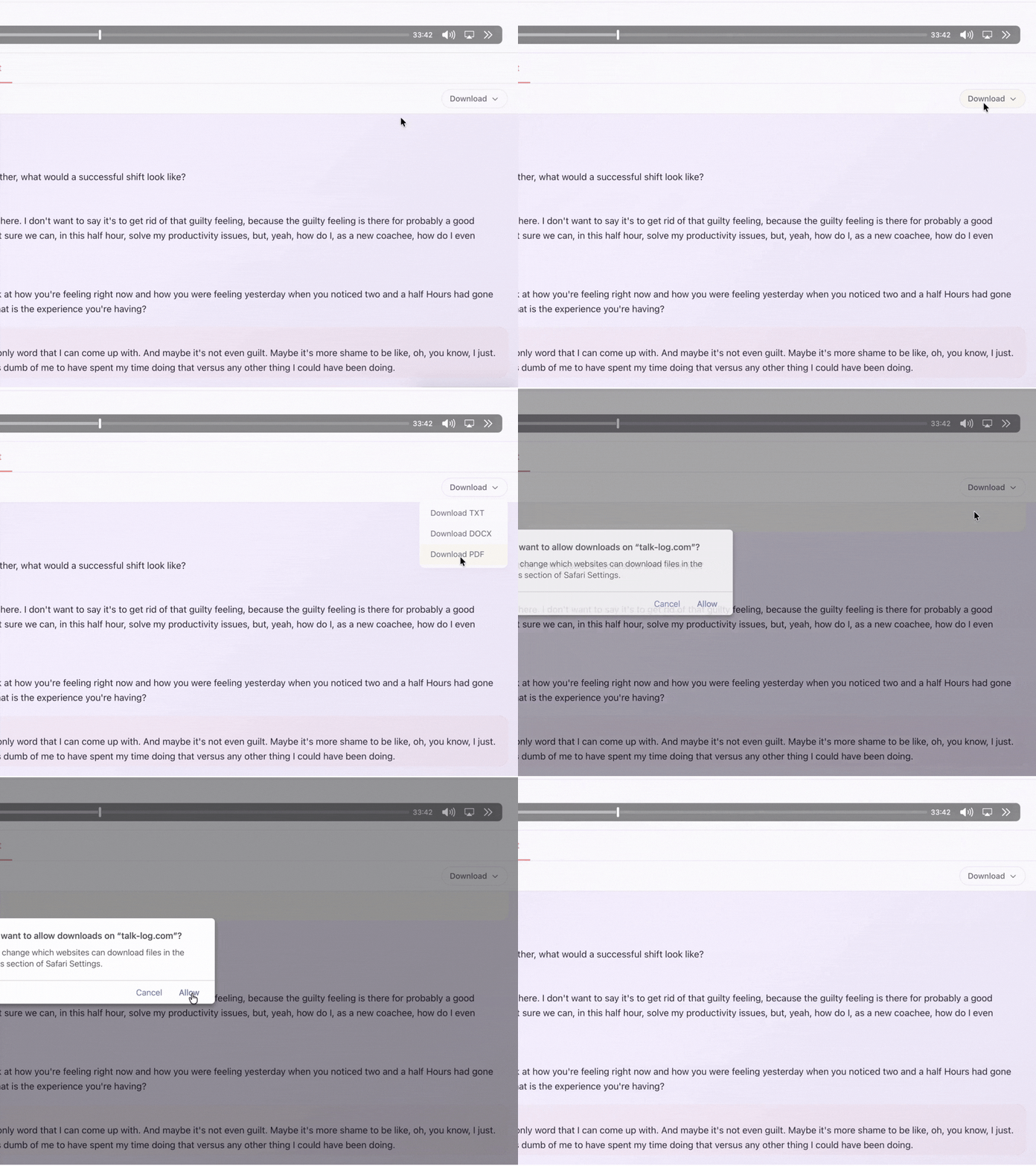
Export and keep your records
When you are ready, export your transcript and analysis in the format that fits your workflow. TalkLog supports PDF, Word, and plain text exports — all including speaker labels and timestamps for professional-grade documentation. Share a session summary with your client as a follow-up, include structured notes in insurance documentation or clinical supervision reports, or archive everything for ICF credential applications. You control what gets shared and what stays private. All exports are generated on-demand and are not stored on our servers after download.
Ready to stop writing session notes by hand?
Try TalkLog Free10 free sessions, no credit card required